---
title: How to create a Pie chart in PHP
description: "# How to create a Pie chart in PHP and retrieve data from MySQL Before we begin, it is important to understand what a pie chart is. ## What is a Pie chart? A Pie chart is a circular chart…"
url: "https://dashboardbuilder.net/how-to-build-php-pie-chart"
updated: "2026-10-19"
category: Charts in PHP
---
# How to create a Pie chart in PHP
# How to create a Pie chart in PHP and retrieve data from MySQL
Before we begin, it is important to understand what a pie chart is.
## What is a Pie chart?
A Pie chart is a circular chart divided in sectors. Each sector denotes a relative size of each value. The easiest way to generate a Pie chart is through Dashboard Builder which does not require any programming skills. The following is a step-by-step method on producing PHP code for a Pie chart.
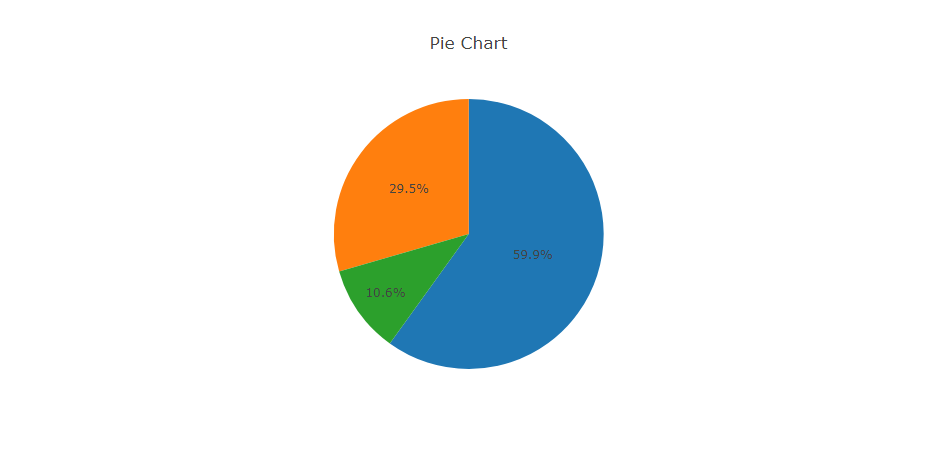
## Pie Chart Tutorial
In this article, we'll use the Dashboard Builder Tool to create a Pie chart and retrieve data from a MySQL database, as well as generate PHP source code.
#### Requirements
- PHP Version 7.2 or later
- Apache 2 or later
- Windows 7 or later /Linux 3 or later
- Firefox 52, Chrome 57, IE 8
### Installation
- Download from [Download Dashboard Builder](/download-free-dashboard)
- Place the file in a directory on the web server. e.g. `…/www/dashboar/dbuilder/`
- Unzip the file using Extract Here option to the root folder of "dashboardbuilder"
### Create your first PHP Pie Chart
- Access the web folder in your browser. e.g. [http://localhost/dashboardbuilder](#) following welcome screen will appear
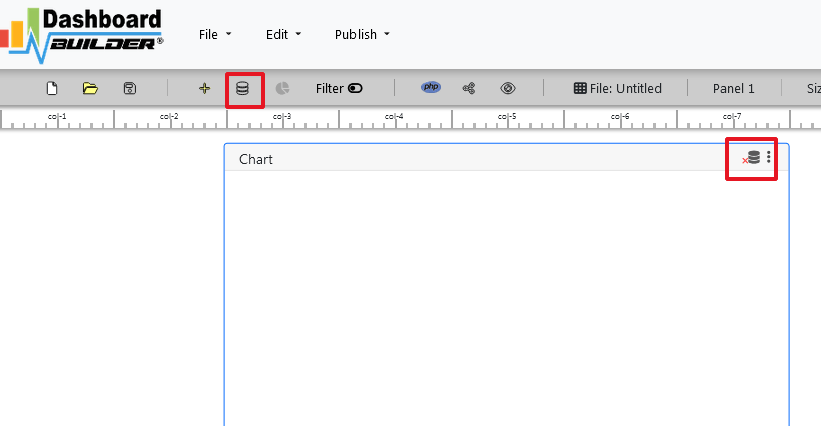
- Now Click the Database icon
- Following screen will appear. Select Database from data source tab. Select MySQL from the list of Database, Enter your `"Northwind.db"` in the DB name field and Save changes as mentioned in the screen.
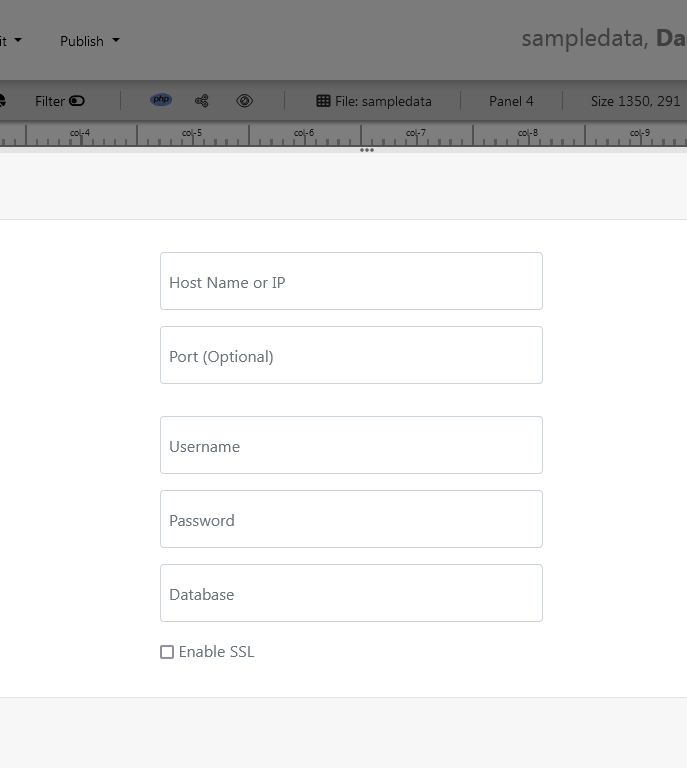
- Enter user name and password of your database.
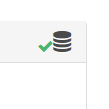
- A green tick mark with Database will appear when your database is successfully connected.
- Select the gear icon for your Dashboard preference.
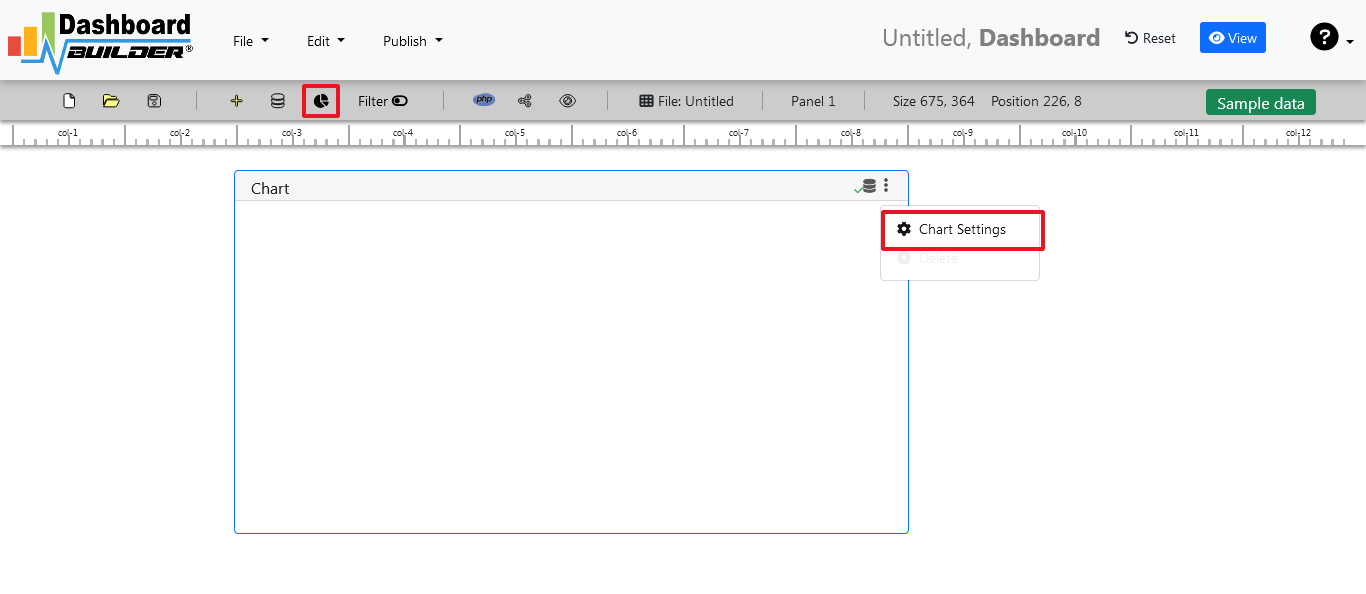
- The following screen with a list of tables will appear.

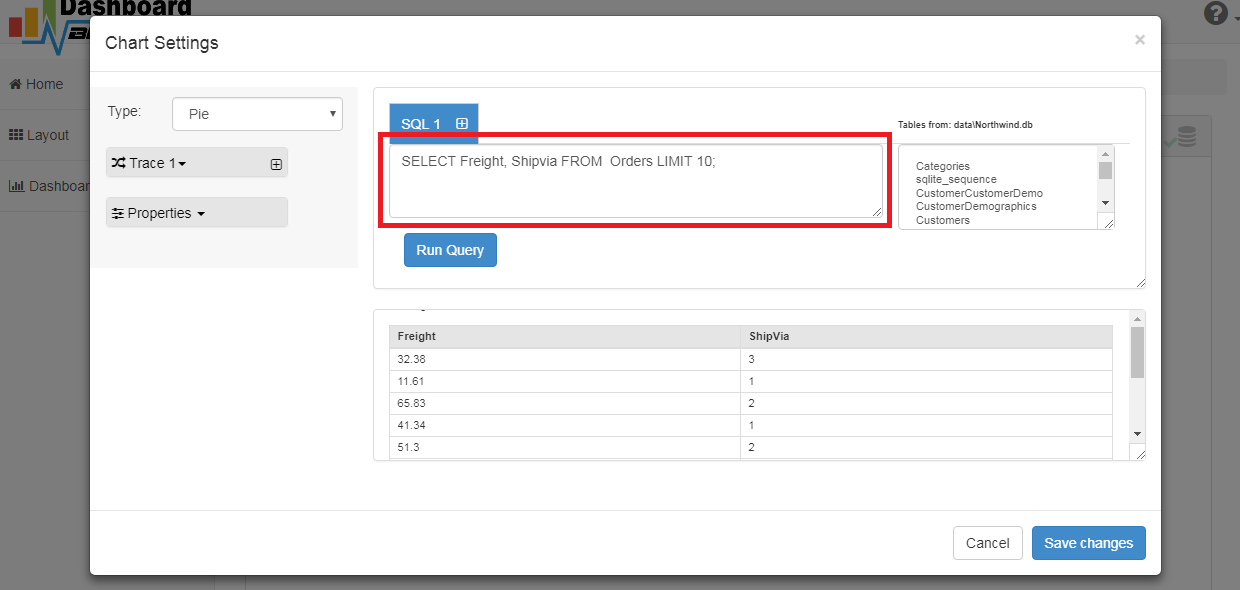
- Enter your SQL statement in text box,
`SELECT strftime('%Y-%m',o.shippeddate) as xaxis, sum(d.quantity) as yaxis from `order details` d, orders o where o.orderid = d.orderid group by strftime('%Y-%m',o.orderdate) limit 50`
- Click the Run Query button
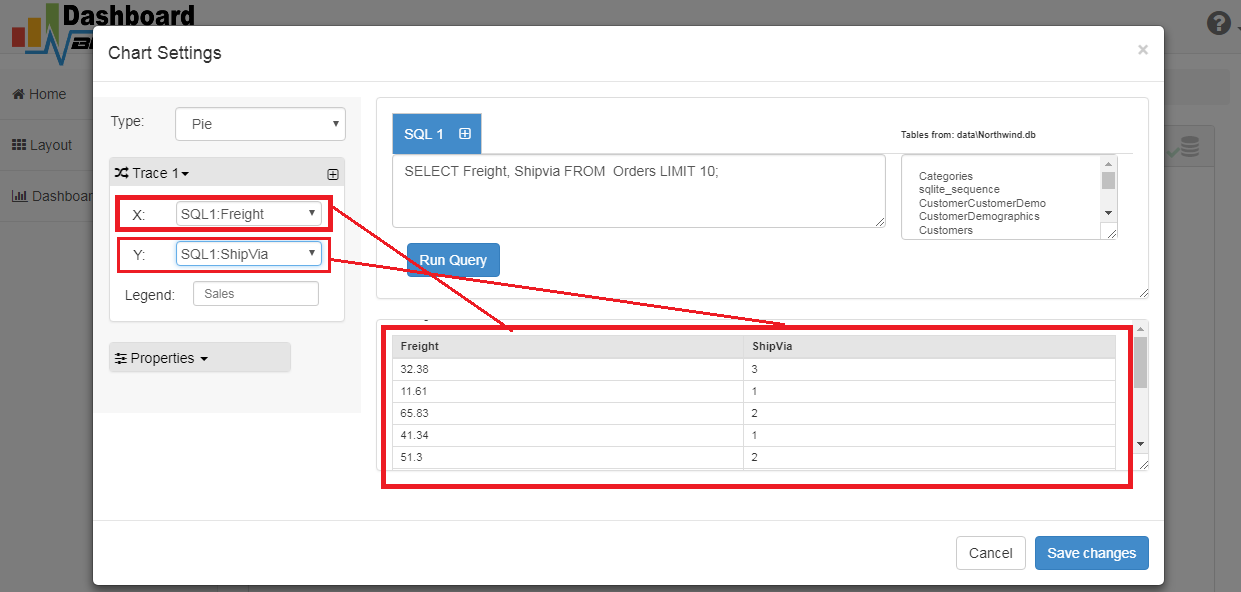
- Query Result will appear. Now Select your x-axis data from the drop down list of X and y-axis data from the drop down list of Y .
- Select Pie from the drop down list of Chart Type
- Click Save Changes
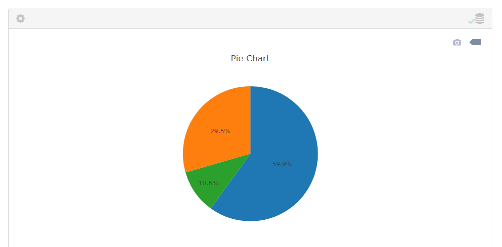
- Charts will be shown on the screen as below.
- Now extend the Generate button and click on the Pie chart PHP Source Code

- The chart's PHP code will be created automatically, and you may copy and paste it into your PHP application.
### Pie Chart PHP source code
```
type = "pie";
$data->source = "Database";
$data->rdbms = "mysql";
$data->servername = "";
$data->username = "";
$data->password = "";
$data->dbname = "northwind";
$data->xaxisSQL[0]= "SELECT strftime(^%Y-%m^,o.shippeddate) as xaxis, sum(d.quantity) as yaxis from `order details` d, orders o where o.orderid = d.orderid group by strftime(^%Y-%m^,o.orderdate) limit 50";
$data->xaxisCol[0]= "xaxis";
$data->yaxisSQL[0]= "SELECT strftime(^%Y-%m^,o.shippeddate) as xaxis, sum(d.quantity) as yaxis from `order details` d, orders o where o.orderid = d.orderid group by strftime(^%Y-%m^,o.orderdate) limit 50";
$data->yaxisCol[0]= "yaxis";
$data->name = "piechart";
$data->title = "Pie Chart";
$data->orientation = "";
$data->xaxistitle = "x-axis title";
$data->yaxistitle = "y-axis title";
$result[0] = $data->result();
?>
```
The project also offers free and paid plans. The code for Dashboard Builder can be found on [GitHub](https://github.com/DashboardBulder/dashboardbuilder.net)under this [license](/license)
## Need a hand?
Tell us what you’re stuck on and we’ll help you finish the setup.
[Contact support](https://dashboardbuilder.net/support)